Point of sale for bars, cafés & shops

The till you own.
No monthly fees. Ever.

Fast, touch-friendly till software for your own computer. Pay £149 once and keep trading, even when the internet drops.

  • One-off £149
  • No subscription
  • Works offline
  • Mac now, Windows coming soon
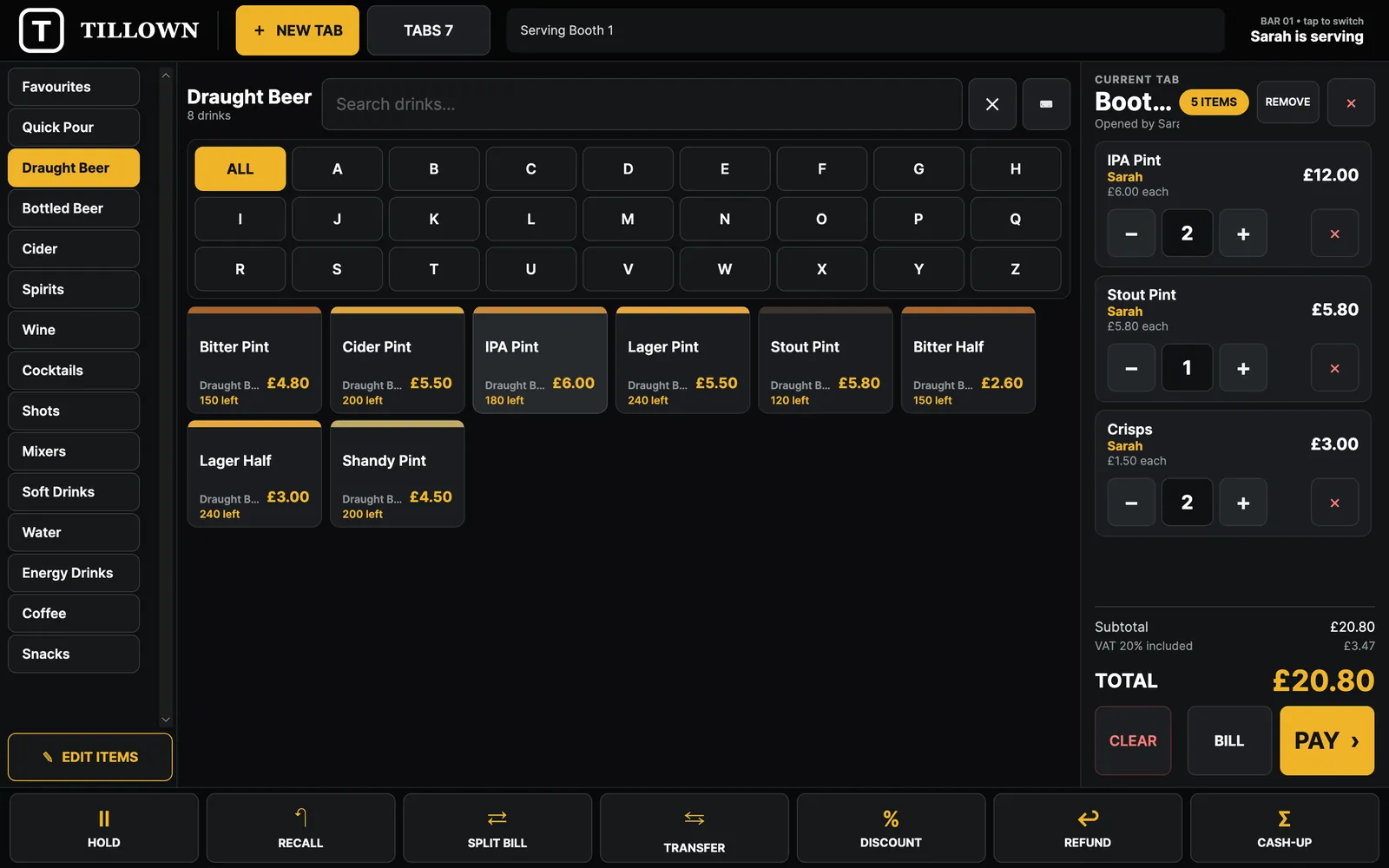
TillOwn selling screen: drink categories on the left, draught beer buttons with prices and stock left, and the current tab with a £20.80 total and a gold Pay button

Features

Everything a busy counter needs

Built on a busy bar floor: big buttons, fewer taps, and the reports you actually look at.

Fast selling

Ring up a round in seconds

Big touch buttons, categories down the side and an A–Z filter. Your best sellers join Favourites on their own, and every drink is stamped with who served it.

  • Categories, search and A–Z quick filter
  • Live stock left shown on every button
  • Hold, recall, discount and refund from the bottom bar
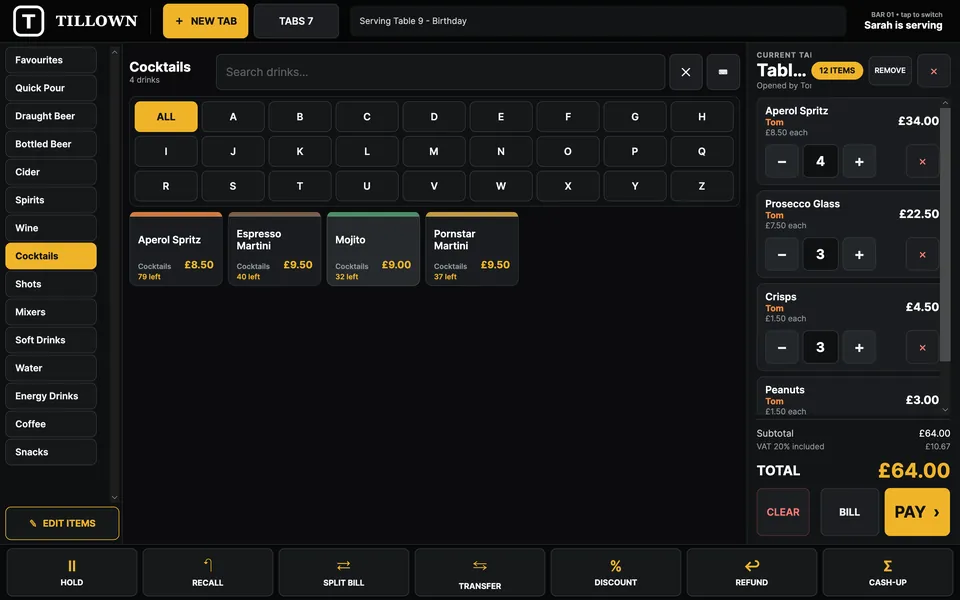
Selling cocktails onto a birthday table tab with quantity buttons and a £64.00 total

Tabs & payments

Open tabs, split bills, take payment your way

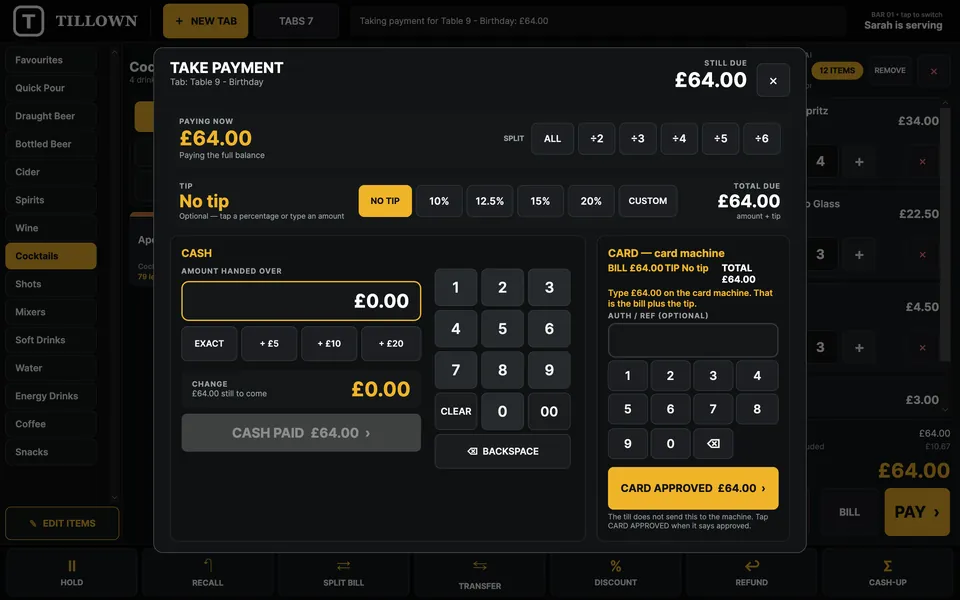
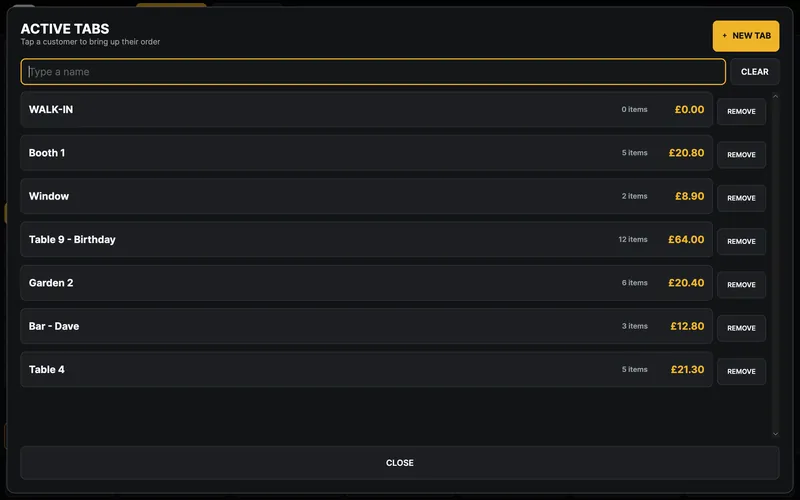
Start a tab by name or table, move lines between tabs and split the bill evenly. Add a tip, take cash with quick amounts and change due, or ring the card machine you already have.

  • Named tabs: tables, booths, regulars
  • Split the bill, transfer items, add tips
  • Cash with quick amounts and change due, or card
Take payment screen with split options, tip buttons, cash keypad and card machine panel
Active tabs list: Walk-in, Booth 1, Window, Table 9 Birthday, Garden 2, Bar Dave, Table 4

Staff sales

See who sold what, day by day

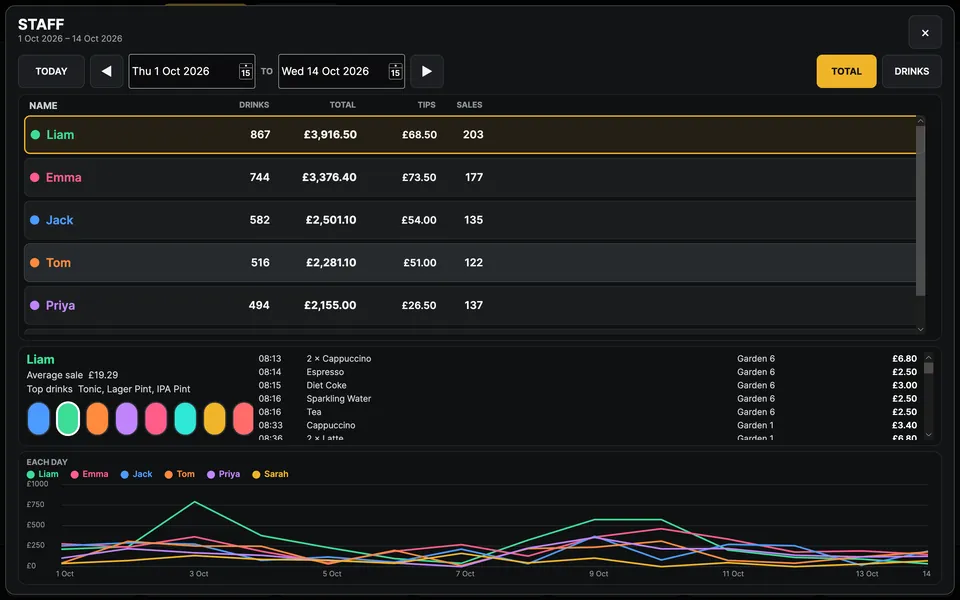
Every sale is linked to a staff PIN. Pick a date range and see drinks, takings, tips and number of sales for each person, plus a simple line chart with their own colour.

  • Totals, tips and average sale per person
  • Top drinks and a timeline of each sale
  • Today, or any date range you choose
Staff screen listing drinks, totals, tips and sales per team member with a coloured daily line chart
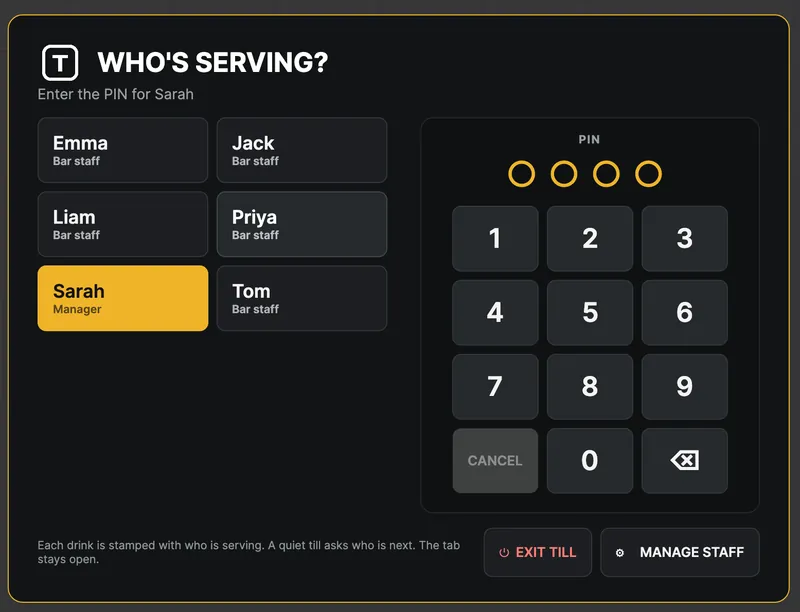
Who's serving? Staff sign-in with a PIN keypad

Cash-up & reports

Close the day in a minute

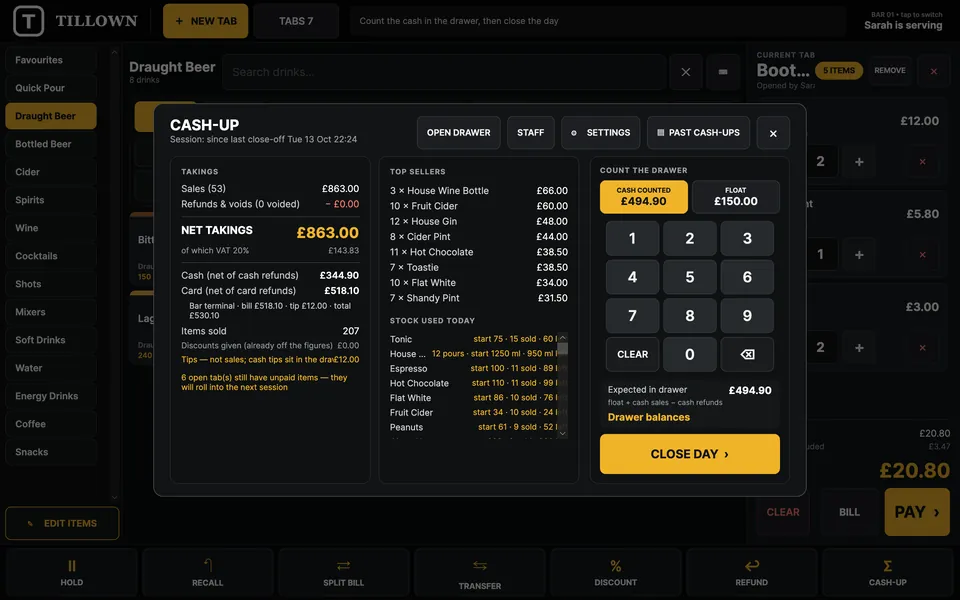
Count the drawer on screen and TillOwn tells you whether it balances. Net takings, VAT, cash and card, top sellers and stock used, all on one page, and the report can be emailed to you automatically.

  • Expected vs counted, with float
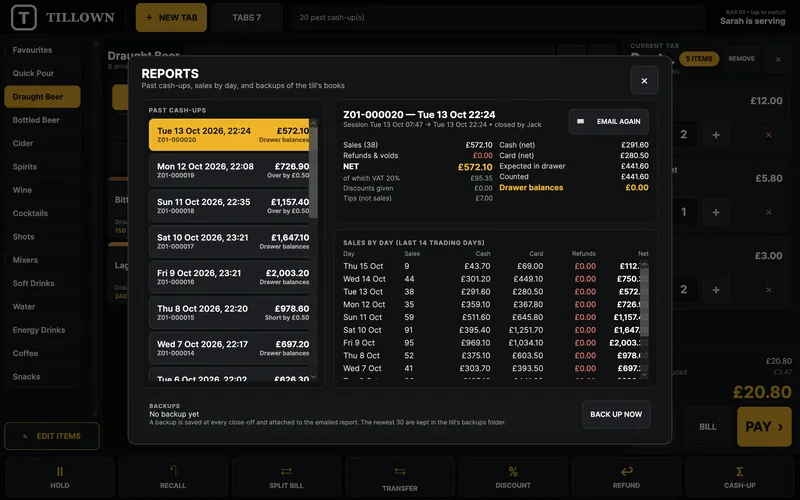
  • Past cash-ups and sales by day
  • A backup is saved at every close-off
Cash-up screen with takings, net total, top selling items, stock used today and a drawer count keypad
Reports screen with a list of past cash-ups and sales by day

Stock

Know what's on the shelf

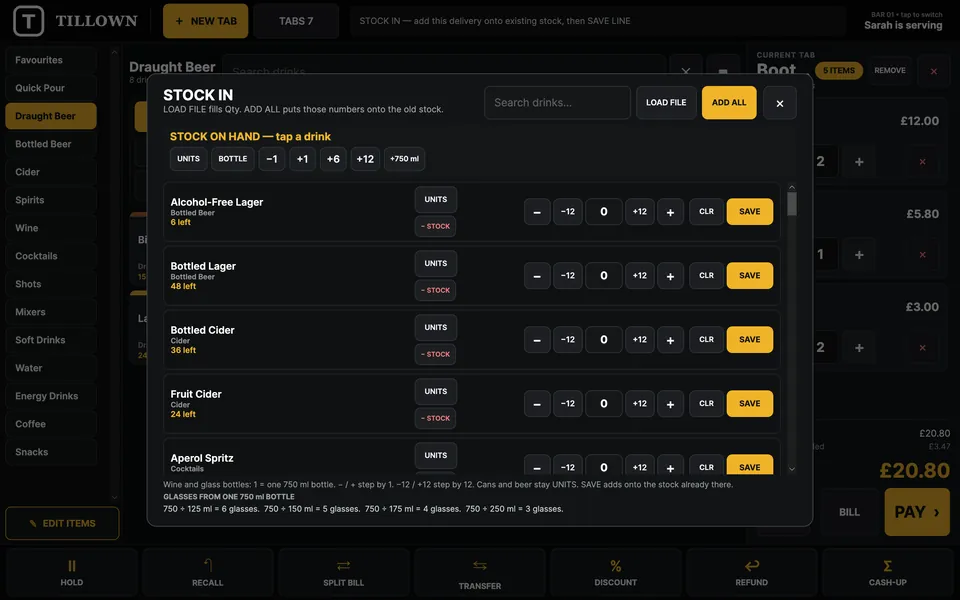
Book a whole delivery in by the unit or the bottle, six or twelve at a time. Spirits and wine count down by the measure, buttons show how many are left, and you get told when it's time to reorder.

  • Stock-in for a delivery in one go
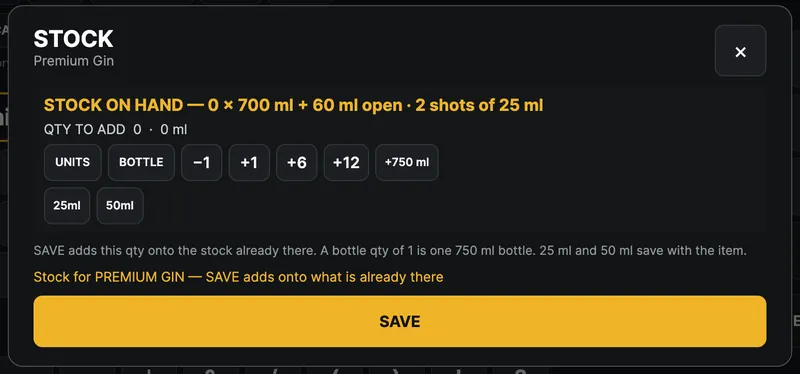
  • Bottles, shots and glasses tracked by the ml
  • Low-stock alerts
Stock-in screen listing drinks with units, bottle and quantity buttons to add a delivery
Stock dialog for Premium Gin showing bottles and shots on hand

Your currency & VAT

Set up for where you trade

Pounds, rand, euros or dollars, with your own VAT rate. Start from a UK or South African starter menu, then make it yours. Printer, cash drawer, card machine, floor pad and emailed reports are all set up from one screen.

  • £ · R · € · $
  • Your VAT rate, included in prices
  • UK and South African starter menus
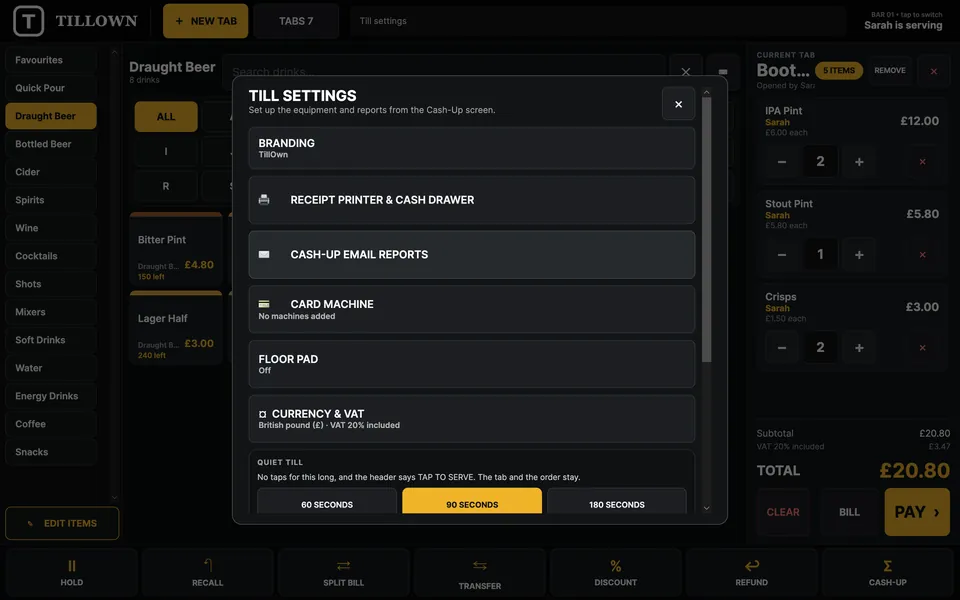
Till settings: branding, receipt printer and cash drawer, cash-up email reports, card machine, floor pad, currency and VAT
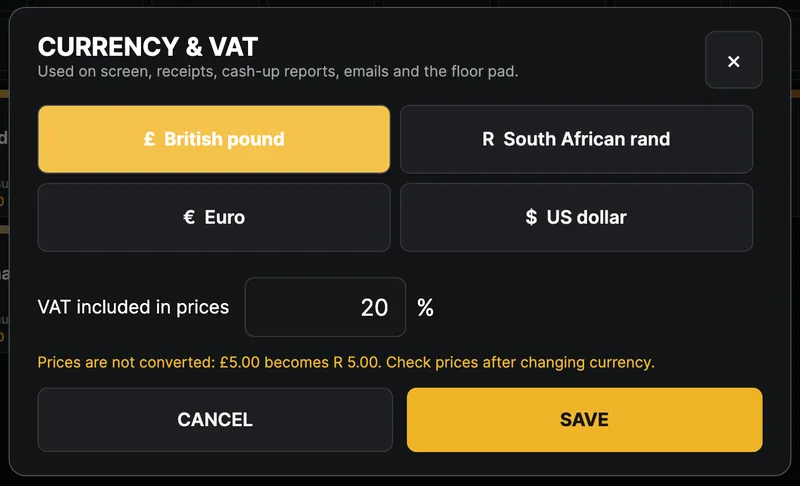
Currency and VAT dialog with British pound, South African rand, Euro and US dollar, and VAT set to 20%

And all the little things that matter

  • Staff PINs

    Everyone signs in with their own PIN. Every sale, void and refund is linked to who did it, and manager-only actions need the manager PIN.

  • Receipts & cash drawer

    Prints to standard 80 mm thermal receipt printers and opens the cash drawer.

  • Floor ordering pad

    Staff take orders on a phone over the shop Wi-Fi, and they go straight to the till.

  • Your brand

    Your venue name and logo on screen and on every receipt.

  • Your data stays local

    Sales are stored on your computer, not someone else's server, with automatic backups.

  • Auto favourites

    Best sellers join Favourites on their own once they've sold enough. You pick how many sales.

  • UK & SA starter menus

    Start from a ready-made UK or South African drinks menu, then edit prices, items and categories.

  • Any card machine

    Take the payment on your card machine as usual and record it as a card sale. No need to change provider.

How it works

From checkout to first sale

  1. 1

    Buy

    Secure checkout with Lemon Squeezy. £149, once.

  2. 2

    Download

    Grab the Mac app. It's signed and notarized by Apple.

  3. 3

    Activate

    Enter the licence key from your email to activate the computer.

  4. 4

    Start selling

    Pick a starter menu, add your staff and open the till.

Pay once vs pay monthly

Stop renting your till

Many till systems charge a monthly fee for as long as you trade. TillOwn doesn't.

TillOwn Typical monthly-fee till
What you pay£149 onceA fee every month
ContractNone. It's yoursOften a minimum term
Internet goes downKeep sellingMay depend on a connection
Where your sales liveOn your computerUsually on the provider's servers
Card machineAny, keep your providerSometimes tied to their payments
HardwareThe Mac you already haveOften their own kit
£

Enter your own monthly fee to see what it adds up to over 3 years.

Software fees only. Doesn't include card processing or hardware.

Pricing

One price. Yours to keep.

TillOwn licence

£149 one-off

For 1 computer · No subscription · No transaction fees

  • The full till software for 1 computer
  • Every feature: tabs, staff, cash-up, stock, reports
  • Mac (Apple silicon) now, Windows coming soon
  • Works offline, with automatic backups
  • Use with any card machine
  • Move it to a new computer any time
Buy TillOwn, £149

Secure checkout by Lemon Squeezy. Your licence key is emailed instantly.

FAQ

Questions, answered

How many computers can I use it on?

One licence activates TillOwn on one computer. Running more than one till? Buy one licence per till.

How do I move it to a new computer?

In TillOwn, open Settings and press Deactivate licence. Then install TillOwn on the new computer and enter the same key. You can do this whenever you change computers.

Do I get updates?

TillOwn is actively developed by ICAREngine. When a new version comes out, download it and install it. Your licence key and your sales data stay as they are. Questions about a release? Email [email protected].

Which card machines work?

Any. Take the payment on your card machine as usual and record it in TillOwn as a card sale. You don't have to change provider.

Does it need the internet?

Only to activate, and for a quick licence check now and then. Selling works offline, and the till keeps running for 7 days without a connection.

Is there a Windows version?

Windows is coming soon. Right now TillOwn runs on Macs with Apple silicon running macOS 12 or later. A touch screen is recommended but not required.

Is there really no monthly fee?

Yes. You pay £149 once and the software is yours.

Can I get a refund?

Payments and refunds are handled by Lemon Squeezy, our checkout provider. If something isn't right, email [email protected] with your order details and we'll help.

How do I get support?

Email [email protected]. You'll hear back from the people who make TillOwn.

Own your till from today

£149 once. No subscription. No contract.